Signing in to SpreadFighter with a Google account
How to sign in to SpreadFighter with Google, what is available without signing in in guest mode, how to get 7 days of Pro and where to find your account UID.
Guest mode
You do not have to sign in right away. The app.spreadfighter.com dashboard also opens without an account, in guest mode:
- up to 4 widgets and 1 layout;
- data as on the Free plan, delayed by 15 minutes;
- no alerts.
To keep layouts in your account, set alerts and buy a plan, sign in with Google.
Details: Guest mode and the Free plan.
Signing in
Click "Login" in the top right corner, or open the sign-in page and click "Sign in with Google". On the pricing page the same button is called "Continue with Google".
If you are not signed in to Google, complete the standard Google sign-in in the pop-up window.
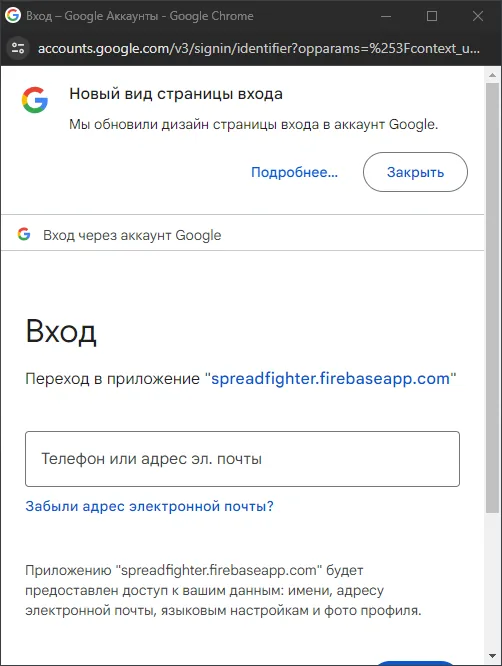
Google sign-in
After signing in you get access to the platform. No separate registration is needed: on your first sign-in a Free account is created automatically, and no card is required.
7 days of Pro for free
In guest mode the dashboard shows a banner with the "Sign in with Google — 7 days of Pro free" button. If you sign up through it, the new account immediately gets 7 days of Pro: 16 widgets, 10 layouts, Telegram alerts, delta and order flow. No card is needed; the trial ends by itself.
The trial is given once per account. If you are already registered on Free and have not used the trial yet, you can start it with the "Start 7-day Pro trial" button in the window that appears when you hit a plan limit or a locked widget.
Account UID
The UID is the identifier of your account. You need it, for example, when contacting support.
Click the avatar in the top right corner: the bottom of the menu shows the platform version, the UID and the plan. The icon next to the UID copies it to the clipboard. The UID is also in your Profile — see Account.