Liquidations, Liquidations highlighter, CLD
Chart indicators and a feed of executed trader liquidations from Binance, Hyperliquid, Bybit and OKX.
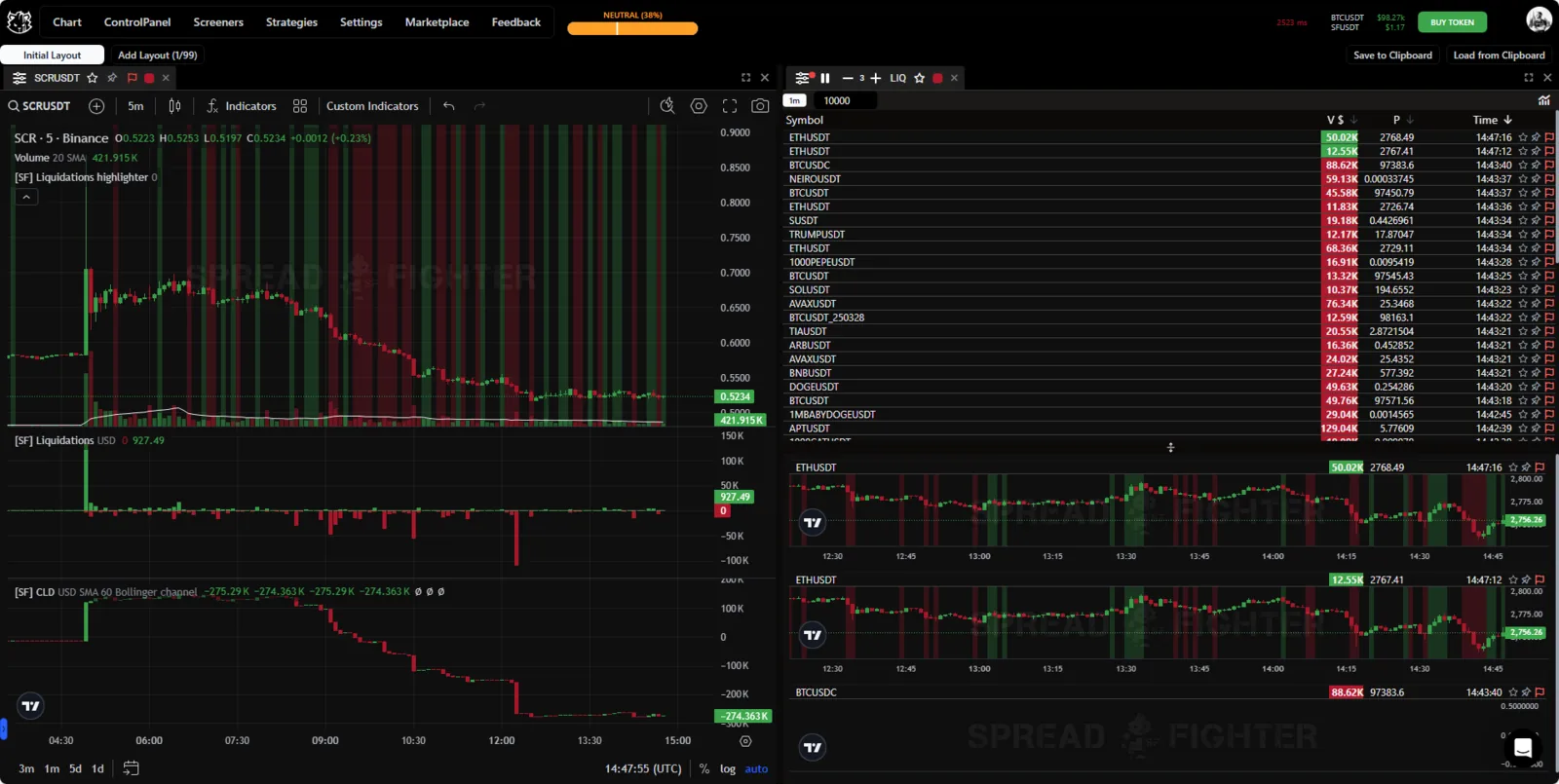
Model appearance.
Indicators
Liquidations is a histogram that shows the volume of executed liquidations.
Cumulative liquidations delta calculates the cumulative sum of the volume of past liquidations.
Liquidations highlighter highlights the bars on which trader liquidations took place. The data comes directly from the exchange.
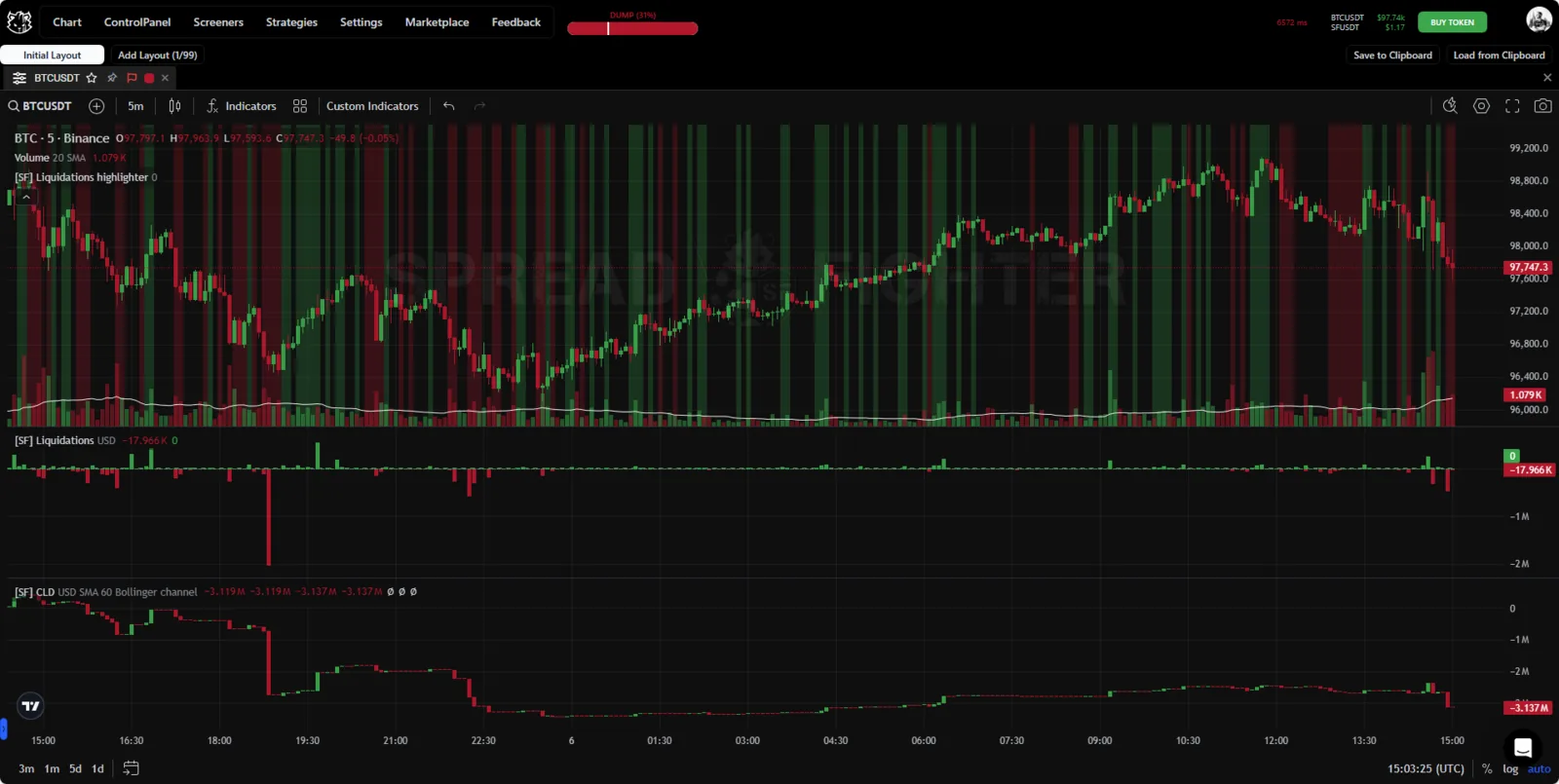
Liquidation indicators.
Liquidations widget
A real-time feed of forced liquidations across the whole market: Screeners → Microstructure → Liquidations, Pro plan and above. The feed holds up to the 300 most recent rows.
Columns
Column labels are short; for some of them the full name appears when you hover over the header.
| Column | What it means |
|---|---|
| Ex | Exchange: Binance, Hyperliquid, Bybit or OKX |
| Symbol | Instrument |
| Side | Whose position was liquidated: Long (forced sell) or Short (forced buy) |
| Volume | Value of the liquidated position in dollars. The background color follows the side |
| Price | Average fill price; for merged Hyperliquid rows, weighted by quantity |
| Time | Liquidation time, UTC |
| Fills | How many Hyperliquid fills are merged into this row. Empty if there is only one fill |
Filters
The filter button in the widget header opens the "Feed filters" window:
- Min amount, $ — liquidations below this amount do not enter the feed. Default 10,000.
- Exchanges — Binance, Hyperliquid, Bybit, OKX. All are on by default.
- Liquidated — All, Longs only or Shorts only.
- Hyperliquid market group — "All" or selected groups: main (the main Hyperliquid markets) and the HIP-3 market groups — xyz, para, io, mkts and others present in the feed. Appears when Hyperliquid is on.
- Merge Hyperliquid fills — on by default. A Hyperliquid liquidation arrives as several fills in one block; a merged row shows the total amount, the weighted average price and the number of fills in the "Fills" column.
- Symbols — a whitelist: show only the selected instruments. Empty means all symbols.
- Reset filters.
The dashboard's global filters (volume, ADTV, funding) are calculated on Binance markets and apply to Binance, Bybit and OKX rows. Only the manipulation filter applies to Hyperliquid, using Hyperliquid's own values; with any other global filter on, Hyperliquid rows are hidden. The blacklist applies to all exchanges.
Alerts
The same window has an "Alerts" section:
- Alert on new liquidations — turns alerts on.
- Min size, $ — the alert threshold, default 100,000. Only new liquidations that pass the feed filters and are at least this size fire. History and filter changes never fire.
- Voice — a voice message "Liquidation of longs …" or "Liquidation of shorts …".
- Browser notification — shown only while the tab is in the background. Clicking the notification sets the instrument on the linked chart.
These alerts work only while the dashboard tab is open.
Server alert with these filters creates a liquidation alert with the panel's exchanges and filters. It arrives in Telegram and on the site even when the tab is closed. The server alert is available on the Pro and Max plans. Details are in the Alerts article.
Use cases
The practical value of the widget is largely similar to the Stop killer model. The tool can be used to find reversal points and to open and close positions more precisely. As with all other tools, each user decides how to use Liquidations.