Trading and order execution
Accounts and keys
You can trade from SpreadFighter on three account types:
| Account | What it gives you |
|---|---|
| Binance Futures | Orders and positions on Binance perpetual futures: from the Trading widget and directly from the chart |
| TigerTrade | A TigerTrade account: the same features as Binance Futures |
| PIONEX (bots) | Pionex grid bots only, from the Grid helper, see Pionex: grids from SpreadFighter |
Add accounts in the Trading widget → "My accounts and keys" → "Add Account". Account name, key and risk settings are also changed there. Exchange keys are stored encrypted on the server and do not stay in the browser.
Trading from the chart and from the widget works only with Binance Futures and TigerTrade. Trading tools are switched off on charts of other exchanges (Aster, Bybit, OKX, Hyperliquid): Aster, Bybit and OKX use the same symbols as Binance, so an order from such a chart would go to Binance.
Trading widget
Open the widget from the platform header: "Trading". It is available on all plans.
- At the top — account selection and its balance: available, total, margin.
- Tabs Positions, Orders and New order with counters of open positions and orders.
- If a Pionex key is connected, running Pionex grids are shown on the "Positions" tab as a separate group.
Trading from the chart
Orders and positions of the selected account are drawn on the chart as lines. The mode is set in chart pane settings → Trading tab → "On this chart":
- Trading — order and position lines with actions, trading items of the "+" menu and trading hotkeys;
- Lines only — lines are visible, but there are no actions;
- Off.
Actions with lines
- Double click on an order line cancels the order; on a position line it closes the position at market (after confirmation).
- Alt + click on an order line cancels it without extra steps.
- Dragging the line of a limit entry, SL or TP moves the order on the exchange when you release the line. Enabled by the "Drag orders" setting.
Closing a position from the chart closes the whole position of the account on this symbol, no matter who opened it.
"+" menu
The "+" button at the price scale opens a menu for the price under the cursor:
- Buy limit / Sell limit and Buy stop / Sell stop for the amounts from the "Order amounts" setting;
- Open position — long or short with the risk from the "Default risks" setting: in dollars or in % of free margin;
- Set SL here or Move SL here for an open position;
- Take — close a share of the position with a reduce-only limit order at this price;
- Alert at this price.
Open position dialog
In the open position dialog you set the entry (limit or market), stop loss, take profit, position size and leverage. You can set the size as a quantity, in dollars or by risk — an amount or a percentage of free margin that you will lose at the stop. SL and TP are placed as reduce-only right away: they cannot open a position.
The dialog checks for errors before sending: an entry on the wrong side of the market, a stop that would trigger immediately, a size below the minimum, margin above the free margin, a risk at the stop above the set share of margin.
Trading settings
| Setting | What it does |
|---|---|
| Break-even | A break-even price line for the position, including taker fees for entry and exit |
| Drag orders | Move orders by dragging their lines |
| Floating panel | One-click Buy / Sell buttons on every chart: a market order for the set amount |
| Order amounts | Amounts for limit and stop orders in the "+" menu |
| Default risks | Risks for one-click positions from the "+" menu, in $ or % of free margin |
| Default RR | Risk / reward ratio for the automatic take profit of a draft position |
| Quick take | Share of the position that the quick take closes |
| Quick SL | Hotkey: a stop at the price under the cursor |
| Log trading executions | A toast and an entry in the "Notifications" panel when a position is opened, changed or closed, with the reason: stop loss, take profit, trailing |
| Cancel SL / TP on close | When a position is closed, the remaining SL and TP for its symbol are cancelled so they do not reduce the next position |
Algorithmic execution
Introduction
The SpreadFighter platform has algorithmic orders.
An algorithmic order is a trading instruction whose execution is fully or partly automated based on a predefined algorithm. Instead of placing orders manually, the trader defines a set of rules (for example, target price, volume, entry/exit conditions, time limits or triggers on market data), and the system automatically splits, places, modifies or cancels orders according to these rules. For example: place a buy order in the range of linear regression minus standard deviation over 60 minutes. Update the order price every second 300 times (that is, the algorithmic order runs for 5 minutes), and then switch it off.
Key properties of algorithmic orders:
- Automation. The execution logic is built into a script, which reduces the influence of human emotions and mistakes.
- Flexibility. You can set complex scenarios and combine algorithmic orders with each other.
- Efficiency. Algorithms minimize slippage and reduce the market impact of large volumes by splitting them into a series of small orders.
- Risk control. Built-in checks and limits (for example, on maximum price deviation) automatically prevent unwanted moves outside the set bounds.
Architecture of algorithmic execution.
In the SpreadFighter platform, algorithmic orders are created in the context of a strategy. The strategy core includes 3 categories of settings:
- Pricing,
- Exposure Management,
- Order Book Audit,
as well as up to 7 algorithmic orders.
graph TD
  Strategy --> Core
  Strategy --> Orders
  Core --> Pricing
  Core --> ExposureManagement
  Core --> OrderBookAudit
  Orders --> Chase
  Orders --> Scale
  Orders --> ...
Strategy core
The strategy core is a module that calculates a set of parameters for all algorithmic orders included in this strategy. There are 3 categories of parameters to configure:
- Picing,
- Exposure Management,
- Order Book Audit.
The sections below describe the strategy core functionality.
Pricing
The pricing module is responsible for calculating the prices at which to place liquidity.
- Price Type - the type of price against which various metrics and order prices are calculated. There are 3 price types: Last Price (the price of the last trade), Mark Price and Index Price.
You can read more about the terms mark price and index price at this link.
- Calculation Window - the time window for calculating derived metrics (moving average, linear regression, standard deviation and so on), in minutes.
- Use Skew - a flag that accounts for the asymmetry of the volatility distribution when calculating order prices.
- Global Refresh Time - the price update frequency.
Exposure Management
The module accounts for and manages the agent's position.
- Use Inventory - a parameter that accounts for the user's position in pricing.
Inventory accounting is implemented by introducing a reservation price. You can read more about the concept of the strategy in the paper High frequency trading in a limit order book by Marco Avellaneda & Sasha Stoikov.
The parameters listed below are used only if the Use Inventory parameter is enabled.
- Target Inventory - the target value of the agent's position that the desk will aim for.
- Inventory Tolerance - the absolute value of the agent's position within which the price will not be adjusted.
- Delta - the maximum deviation of the reservation price from the market price.
You can read more about the concept of the "Reservation price" in the paper High frequency trading in a limit order book by Marco Avellaneda & Sasha Stoikov.
- Inventory Refresh Time - the position update frequency, in milliseconds.
This parameter will be removed in the future.
Order Book Audit
The module monitors "stuck" and forgotten orders.
- Check Forgotten Orders - a parameter that enables tracking of "forgotten" and stuck orders.
- Forgotten Orders Live Time - the minimum order lifetime threshold, in milliseconds, after which the order is considered "stuck or forgotten".
- CheckForgottenOrdersRefreshTime - how often to check for "stuck" or forgotten orders, in milliseconds.
- Update Full Book - a parameter that refreshes the agent's whole limit order book.
- Update Full Book Refresh Time - how often to refresh the whole book.
Note that the desk cannot tell apart orders placed by itself from orders placed by other software. So when the whole book is refreshed, all orders on the symbol will be canceled. This includes orders placed by other software or through the exchange web interface.
Algorithmic orders
The platform offers the following types of algorithmic orders:
- Chase Order.
- Scale Order.
- Grid.
- Implementation Shortfall.
The sections below describe the functionality of each algorithmic order.
Algorithmic orders are demonstrated on the Bookmap liquidity heatmap.
Chase Order
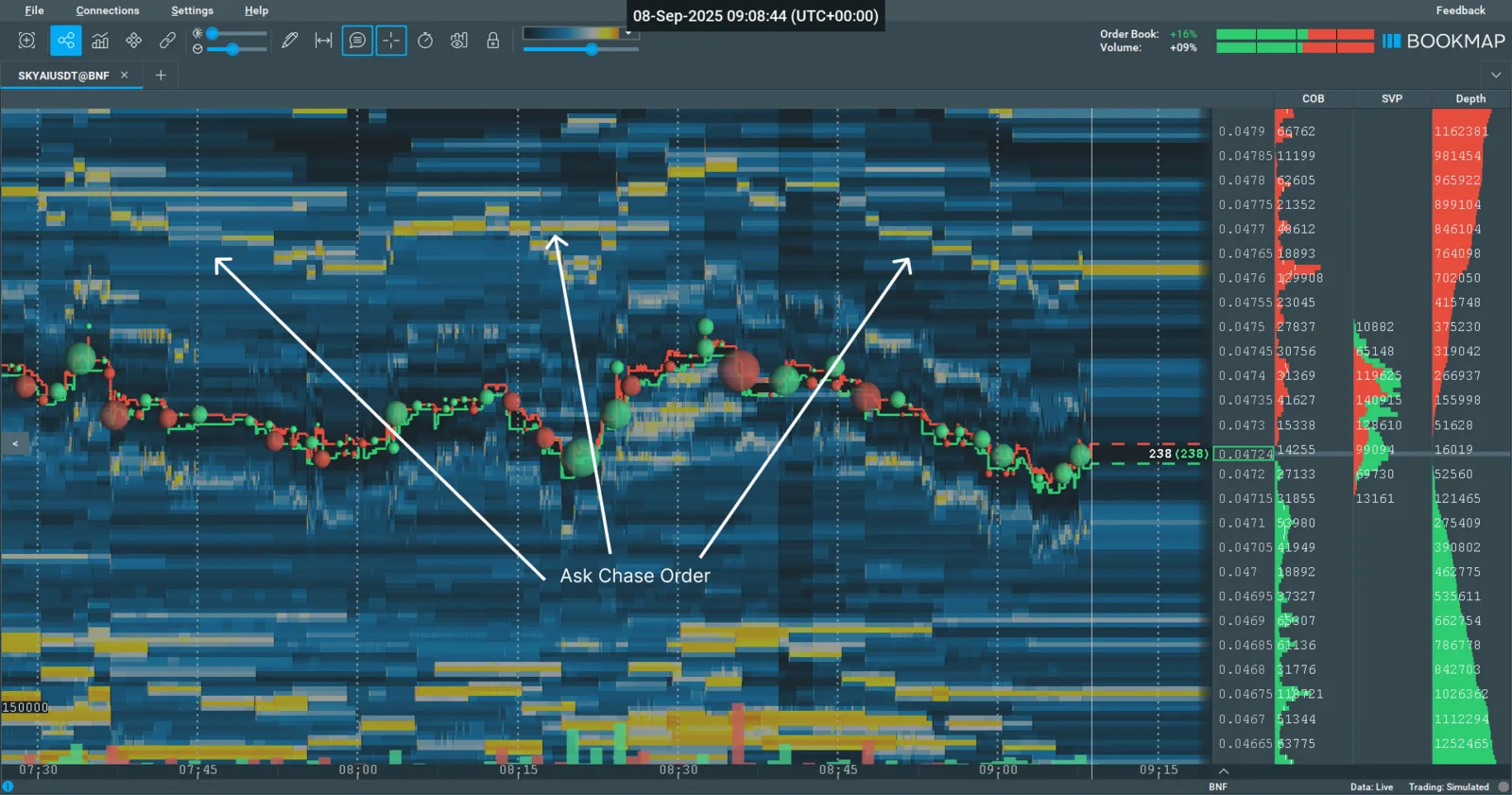
Chase Order on the ask side
The Chase Order algorithmic order is a type of algorithmic instruction in which the order price is automatically recalculated and "chases" the current best market quotes by a predefined rule (for example, it lags the mark price by a fixed spread or shifts by a dynamic formula). The goal of a Chase Order is to maximize the chance of execution at a good price, adapting in real time to changes in supply and demand.
Chase Order settings:
- General
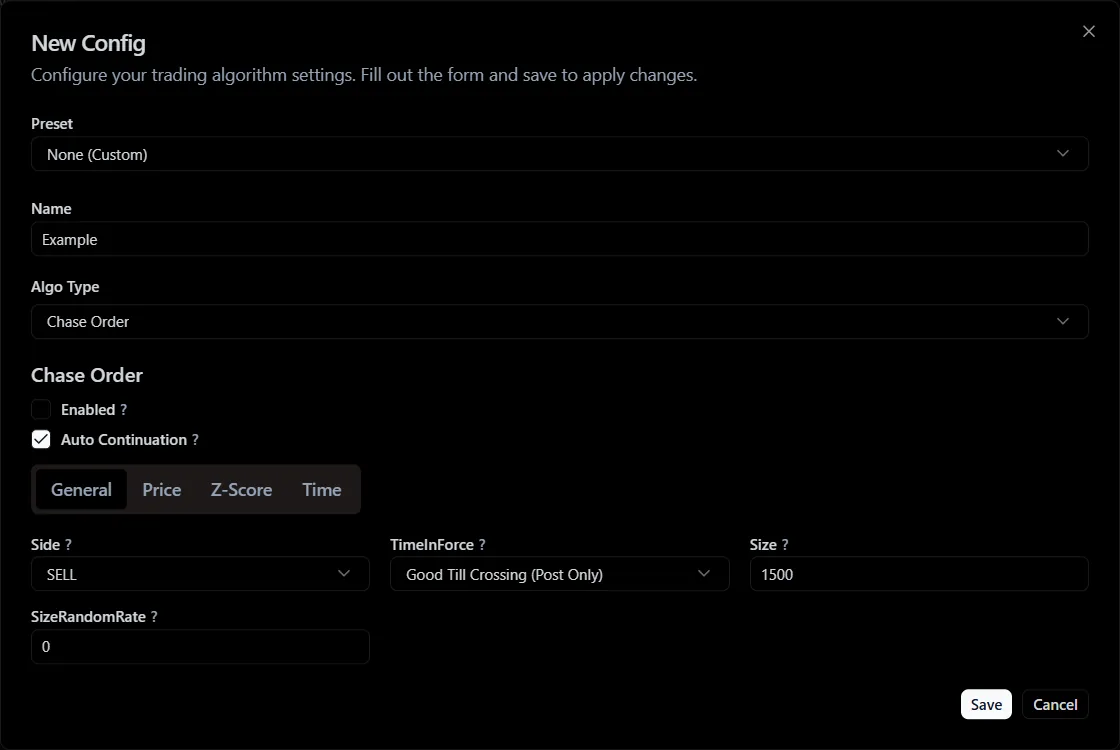
General category parameters
- Auto Continuation - a flag for automatic continuation of the algorithmic order. If true, the algorithmic order starts again after it finishes. If false, the algorithmic order ends after one cycle, and the Use Algo Order parameter is set to false.
- Side - the order side (buy or sell).
- Time In Force - the order type by execution time (GTC, IOC, FOK, GTX).
- Size - the order size.
- Size Random Rate - the order size randomization coefficient.
- Price
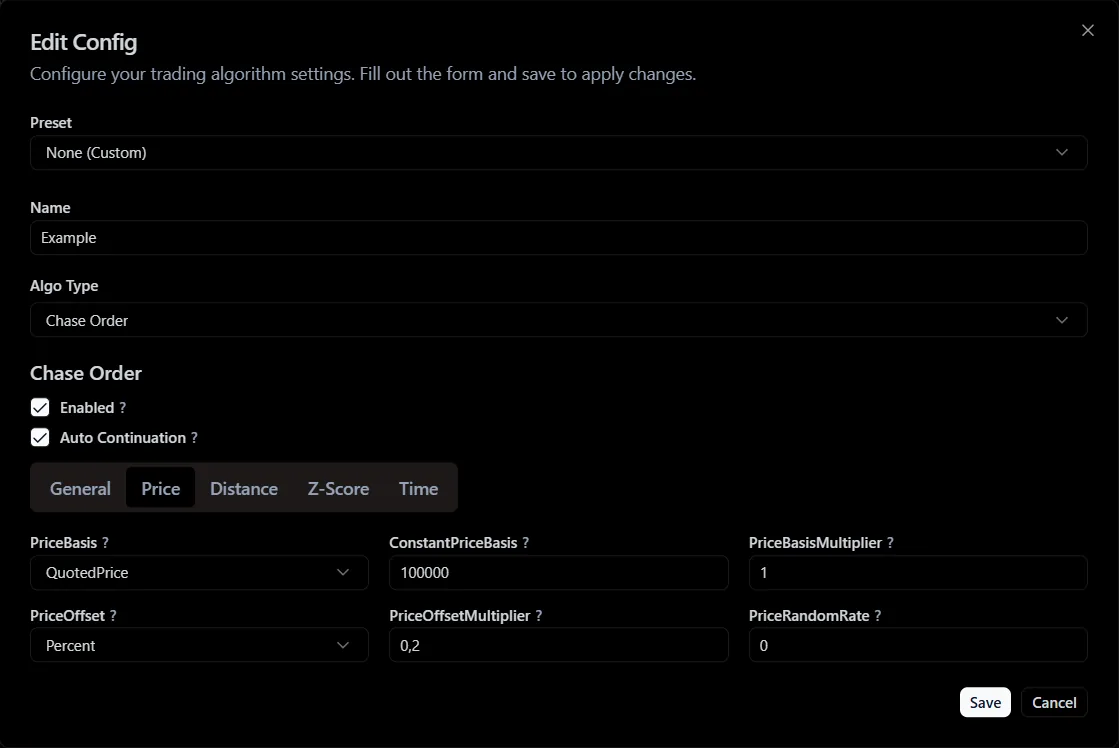
Price category parameters
- Price Basis - the price basis against which the price level of the algorithmic order is calculated.
- Constant Price Basis - the constant value of the order price basis. Used only if a constant is selected as the order price basis.
The following basis types exist for all types of algorithmic orders:
- Constant - a constant value set by the user.
- QuotedPrice - the quoted price of the asset.
- SMA - simple moving average.
- Linear Regression - linear regression of the asset price.
- VWMA - volume-weighted moving average of the asset price.
- Highest - the maximum value of the asset price.
- Lowest - the minimum value of the asset price.
- Price Basis Multiplier - the order price basis multiplier.
- Price Offset - the order price shift. Used to move the order price relative to the basis.
The following offset types exist for all types of algorithmic orders:
- Tick - the minimum tick.
- Percent - a percentage of the quoted price.
- Standard Deviation - the standard deviation of the quoted price.
- ATR (Average True Range) - the average true range of the quoted price.
- RV (Realized Volatility) - the realized historical volatility of the quoted price.
- Price Offset Multiplier - the order price offset multiplier.
The order placement price is calculated by the formula:
Where:
- (Price Basis) - the order price basis.
- (Price Basis Multiplier) - the order price basis multiplier.
- (Price Offset) - the order price offset.
- (Price Offset Multiplier) - the order price offset multiplier.
- PriceRandomRate - the order price randomization coefficient.
- Z-Score
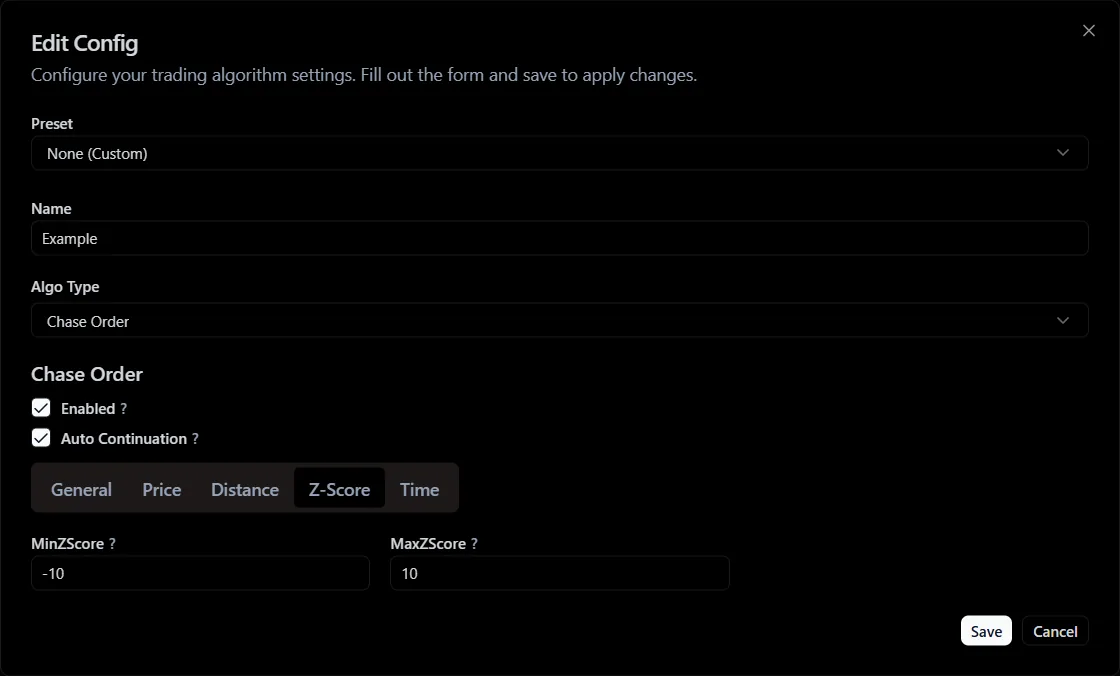
Z-Score category parameters
- Min Z-Score - the minimum Z-Score of the asset price at which the algorithmic order will operate.
- Max Z-Score - the maximum Z-Score of the asset price at which the algorithmic order will operate.
Z-Score parameters let you restrict the strategy depending on the volatility regime: add orders during volatility spikes or, conversely, pull them.
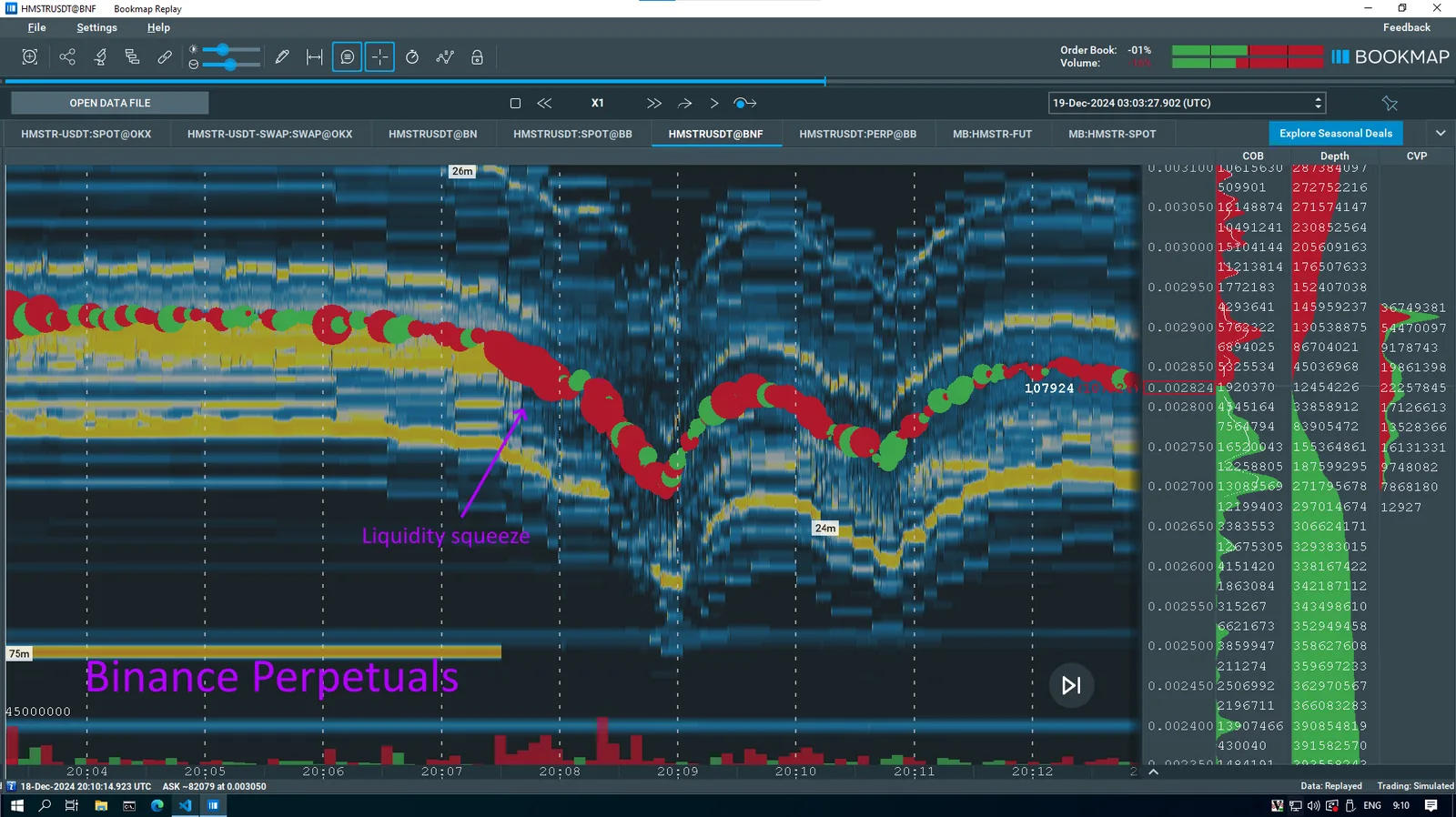
Liquidity compression on the HMSTR futures contract during a volatility spike.
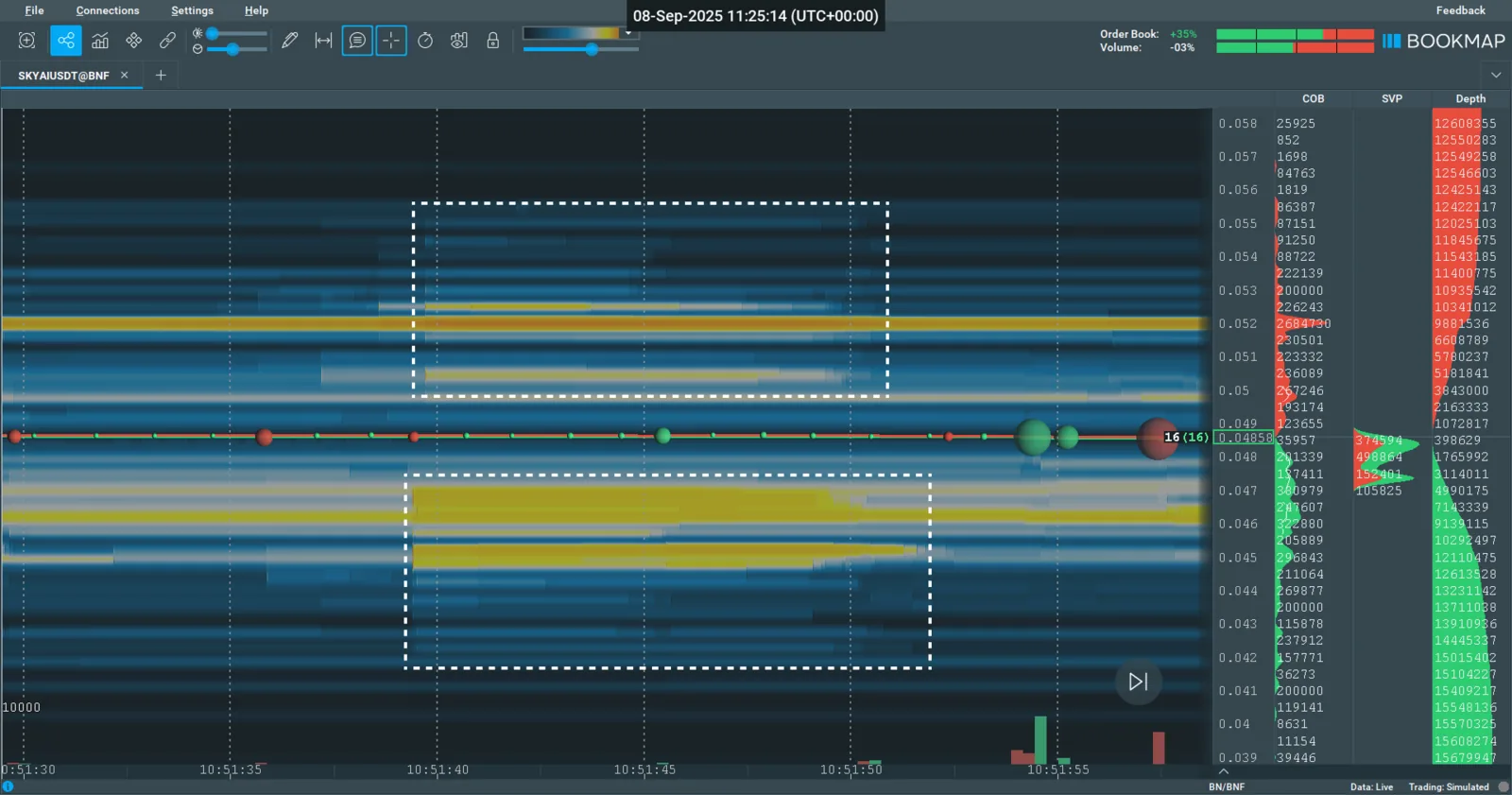
Liquidity increase on the SKYAI futures contract during a volatility spike.
- Time
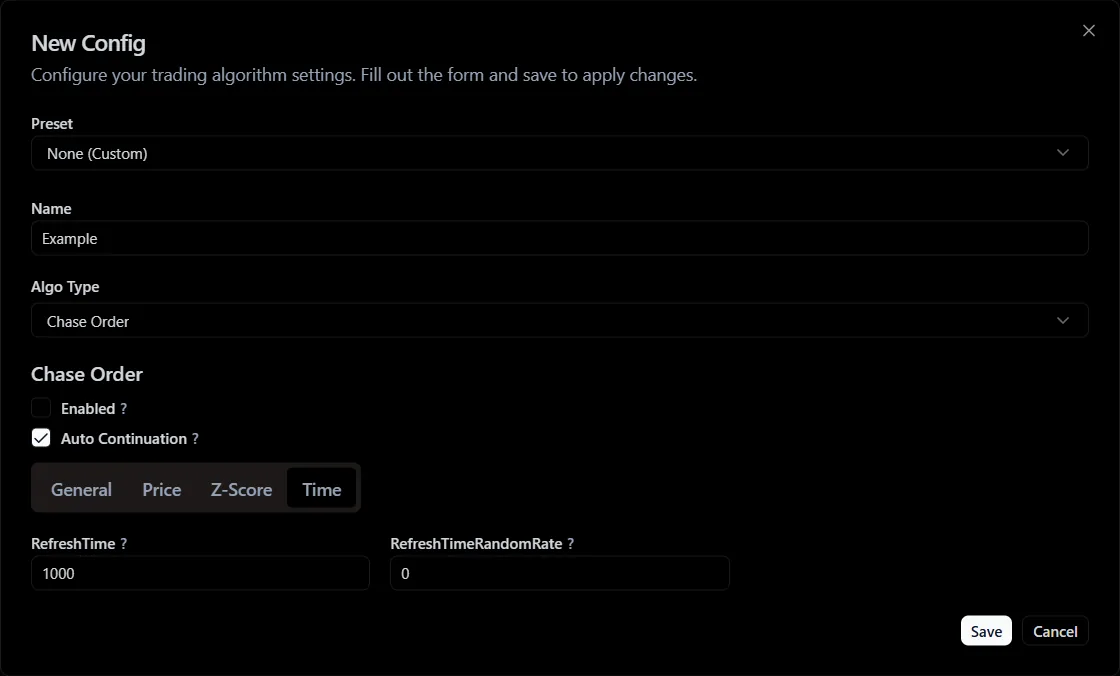
Time category parameters
- Refresh Time - the order refresh time.
- Refresh Time Random Rate - the order refresh time randomization coefficient.
Scale Order
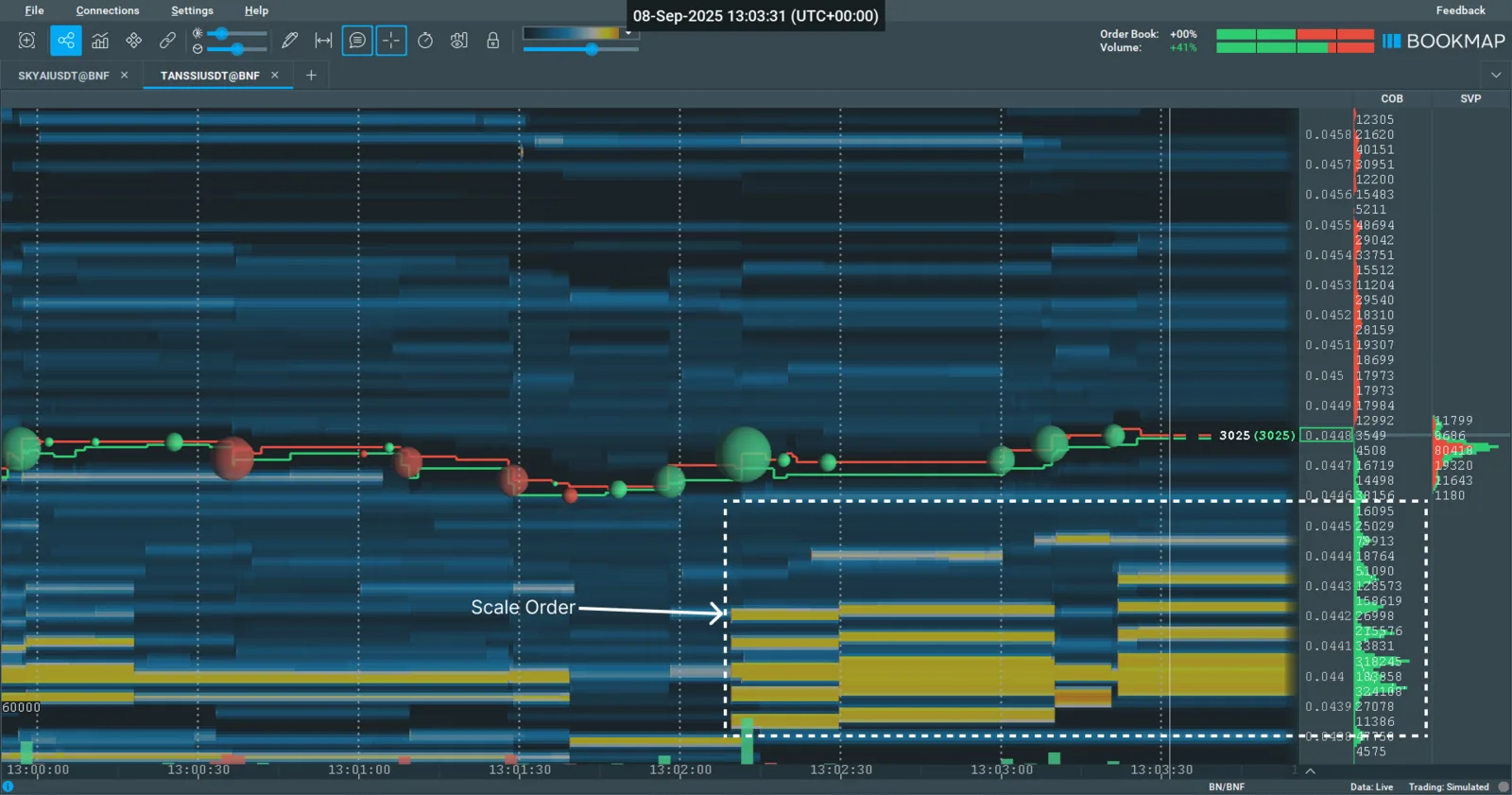
Scale Order on the bid side
The "scalable chasing order" (Scale Order) is a hybrid of the "chasing" (Chase) and scaling algorithms. It splits the total volume into a series of limit orders with growing/shrinking sizes and dynamically "chases" market quotes by predefined rules. The goal is to fill a large volume at an optimal average price, adapting to market movement.
How the algorithm works:
- The algorithm takes the basis price, steps back by a set distance and places the first limit order.
- Then at each level it places the next order, whose size is calculated by a set formula.
- As the asset price moves, the algorithm updates the price ranges.
Scale Order settings:
- General
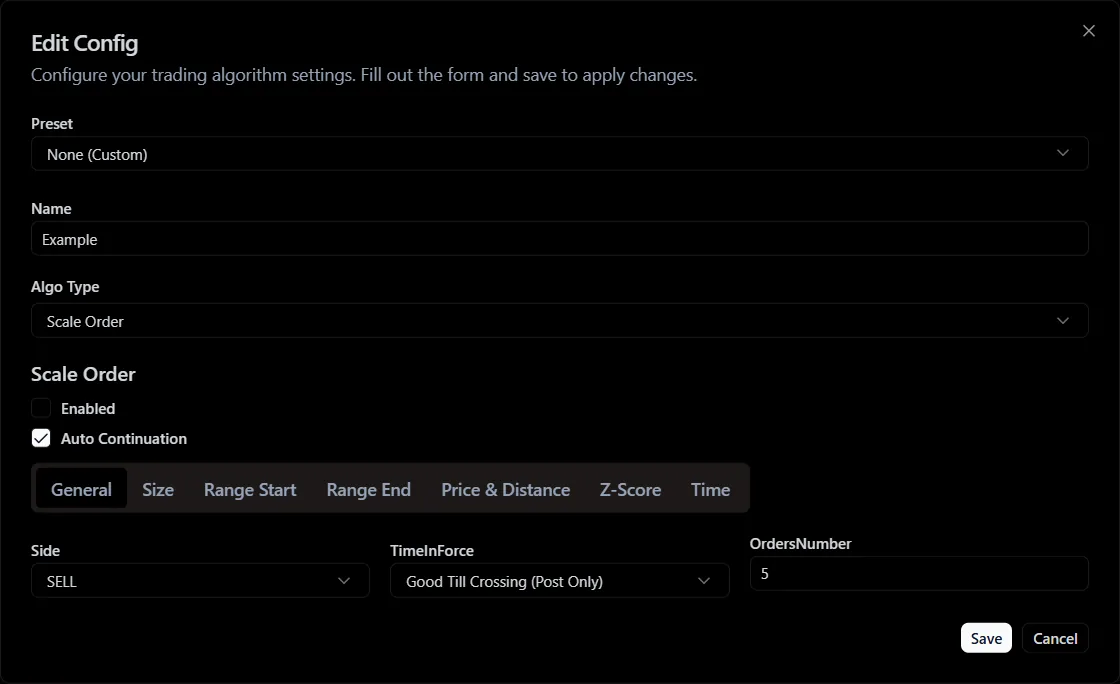
General category parameters
- Side - the order side (buy or sell).
- Time In Force - the order time in force.
IOC and FOK are not supported, because the algorithm implies that orders stay in the book for some time.
- Orders Number - the number of orders in the group.
- Size
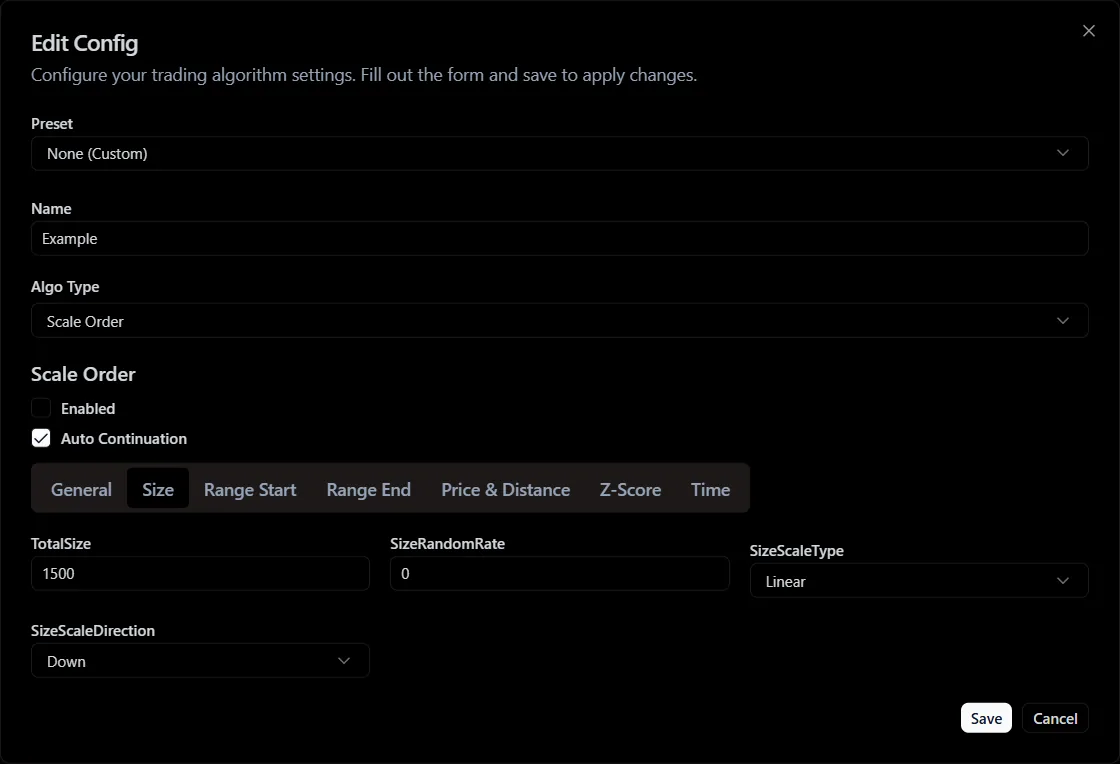
Size category parameters
- Total Size - the total size of all orders in the group.
- Size Random Rate - the order size randomization coefficient.
- Size Scale Type - the order size scaling type.
There are 4 order size scaling types:
- Hyperbolic - hyperbolic size scaling.
- Geometric - geometric scaling.
- Linear - linear scaling.
- Flat - flat scaling (all orders have the same size).
- Size Scale Direction - the order size scaling direction.
- Range Start
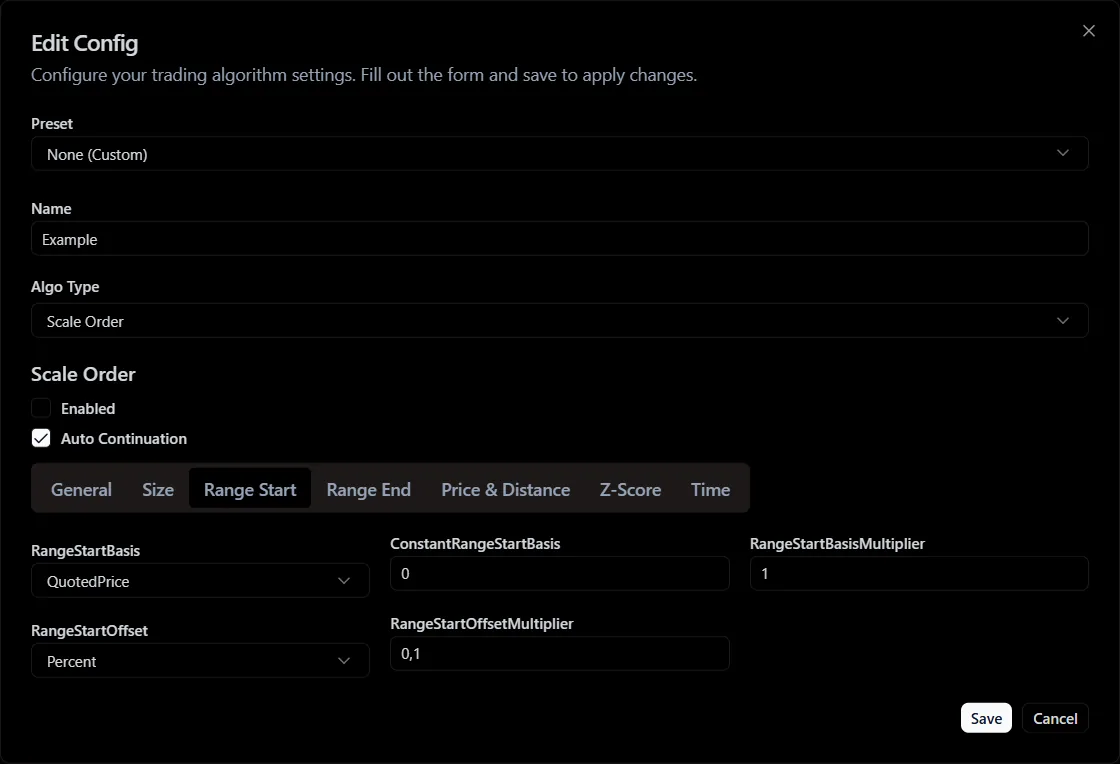
Range Start category parameters
- Range Start Basis - the price basis for the start of order scaling.
The basis types for the Scale Order algorithm are the same as the basis types for Chase Order.
- Constant Range StartBasis - the constant value of the price basis for the start of order scaling.
- Range Start Basis Multiplier - the multiplier of the price basis for the start of order size scaling.
- Range Start Offset - the price offset for the start of order size scaling.
The offset types for the Scale Order algorithm are the same as the offset types for Chase Order.
- Range Start Offset Multiplier - the multiplier of the price offset for the start of order size scaling.
- Range End
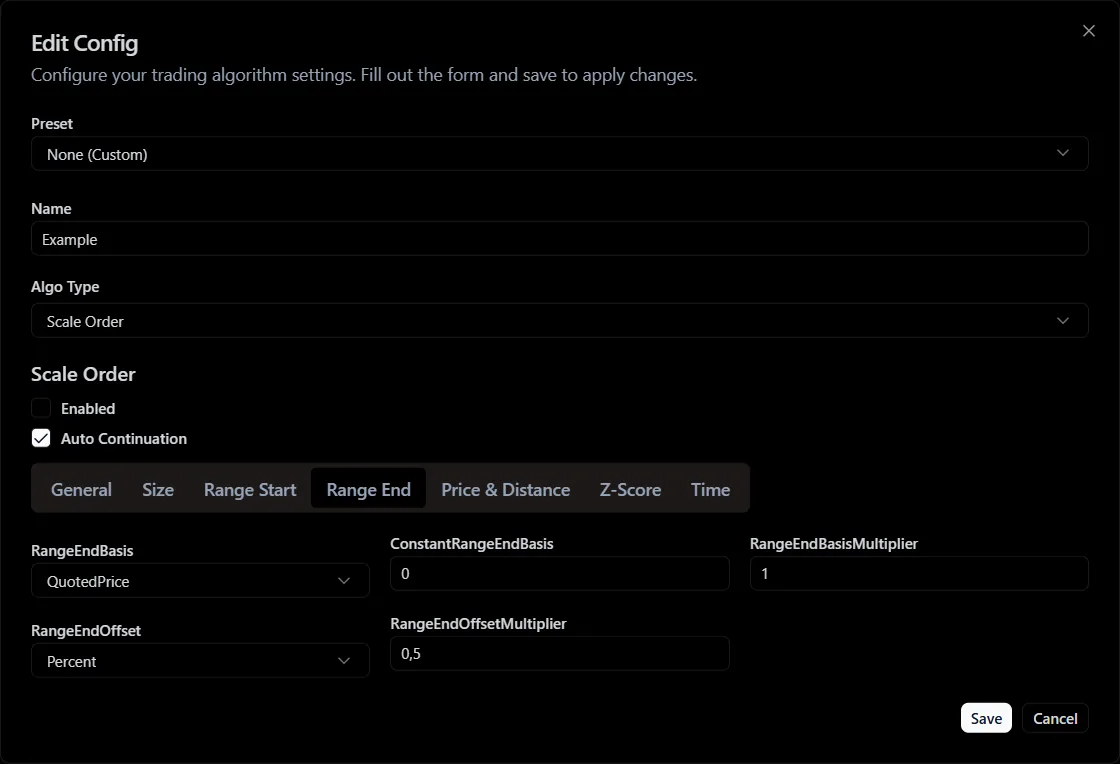
Range End category parameters
- Range End Basis - the price basis for the end of order size scaling.
- Constant Range End Basis - the constant value of the price basis for the end of order scaling.
- Range End Offset - the price offset for the end of order size scaling.
- Range End Offset Multiplier - the multiplier of the price offset for the end of order size scaling.
Scaled orders are placed in the range between Range Start and Range End. The price range boundaries are calculated the same way as for Chase Order.
- Z-Score
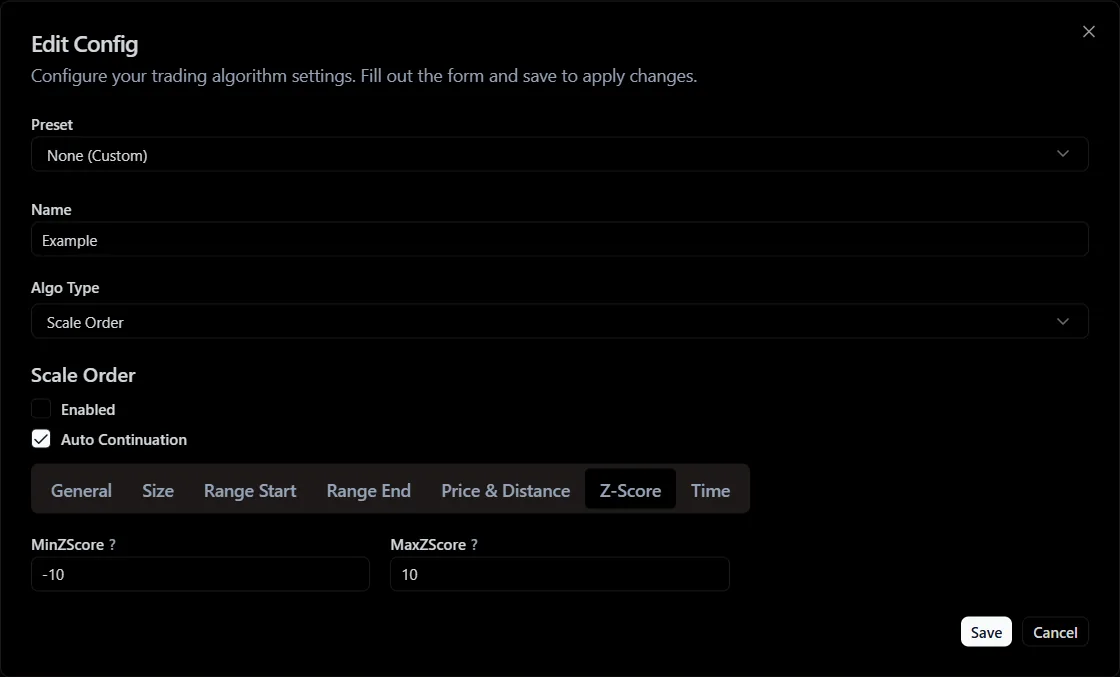
Z-Score category parameters
- Min Z-Score - the minimum Z-Score of the asset price at which the algorithmic order will operate.
- Max Z-Score - the maximum Z-Score of the asset price at which the algorithmic order will operate.
- Time
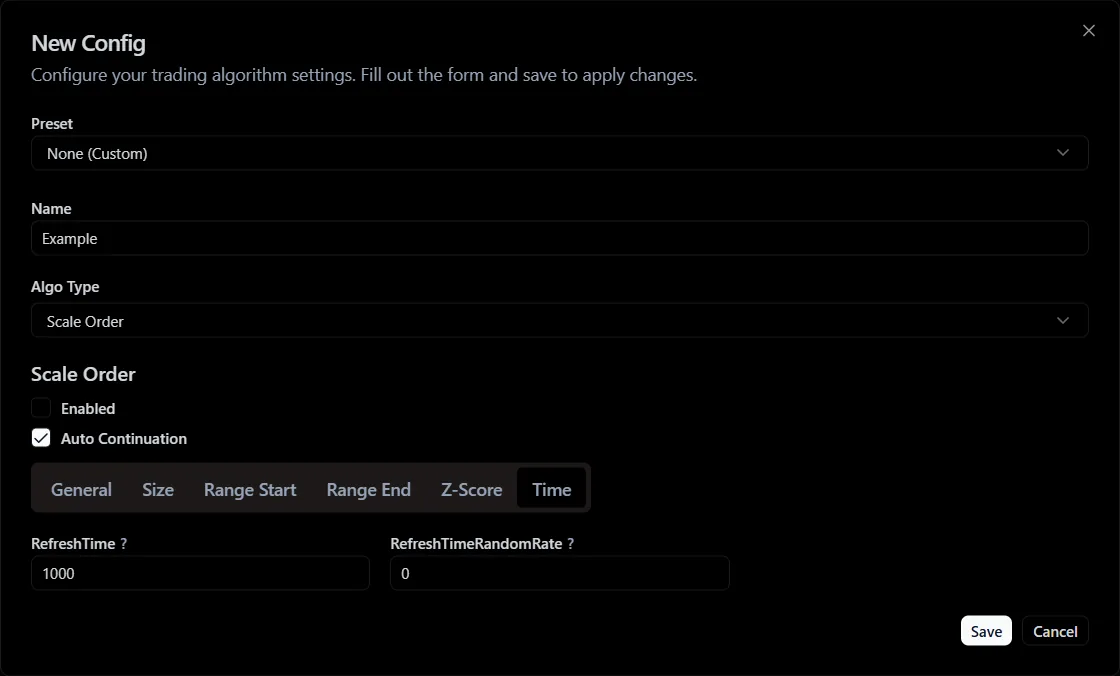
Time category parameters
- Refresh Time - the order refresh time.
- Refresh Time Random Rate - the order refresh time randomization coefficient.
Grid
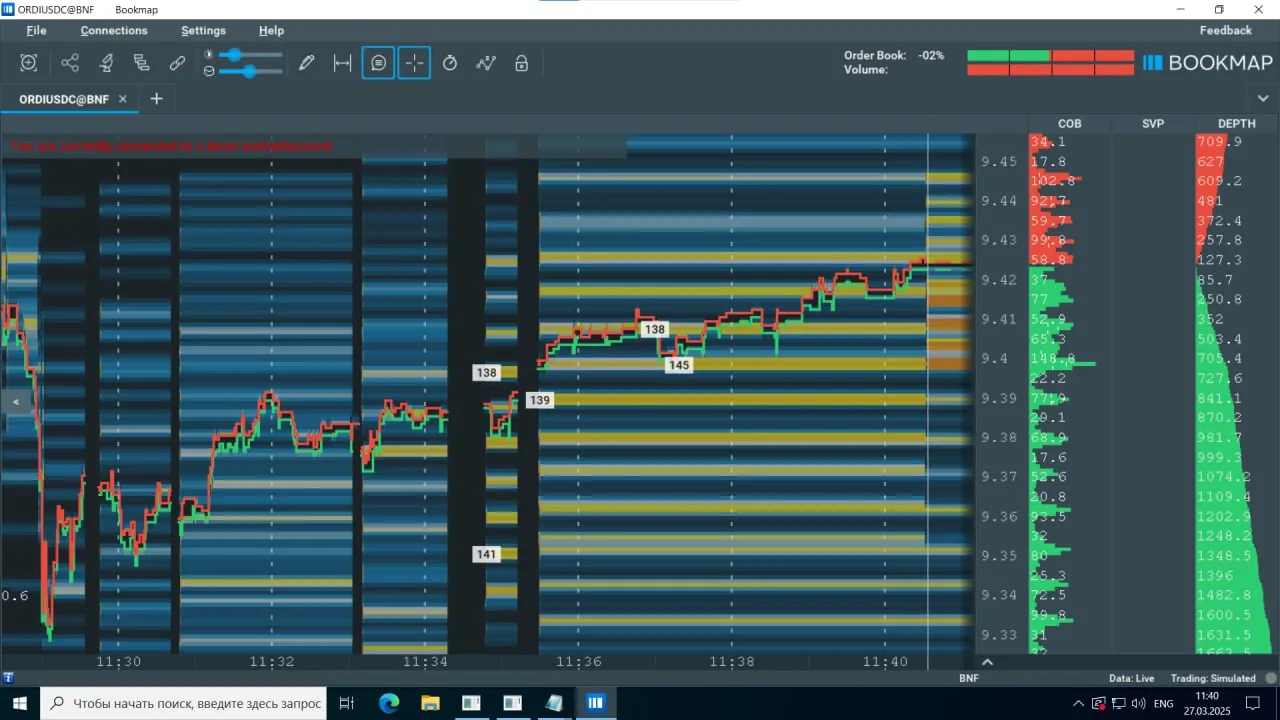
Grid
Grid (a grid robot) is a strategy of automatically placing a series of buy and sell limit orders at predefined price levels (a "grid"). The goal is to profit from market oscillations within a set range.
How the order works:
- The algorithm builds a price grid in the range.
- At each level it places two orders at once: a buy limit and a sell limit.
- When an order fills, a "reversed" order can be placed automatically at the corresponding filled level.
Grid settings:
- General
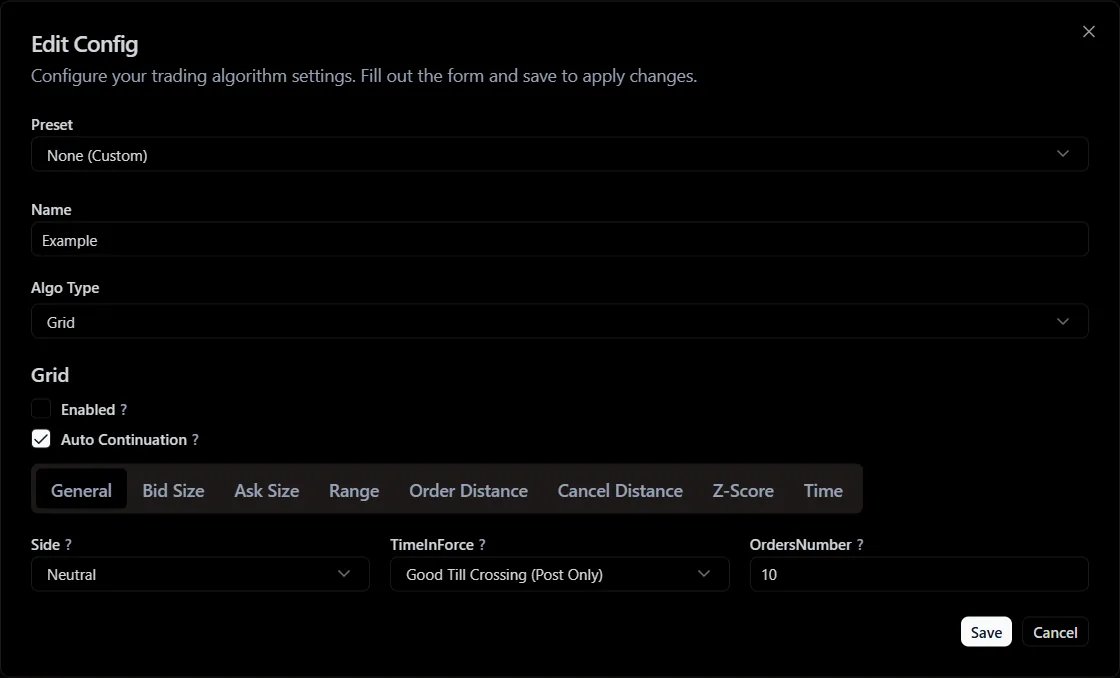
General category parameters
- Side - the grid side (Buy, Sell, Neutral).
- Time In Force - the order type by execution time (GTC or GTX).
- Orders Number - the number of levels in the grid.
IOC and FOK are not supported, because a grid algorithm implies that orders stay in the book for some time.
- Bid Size
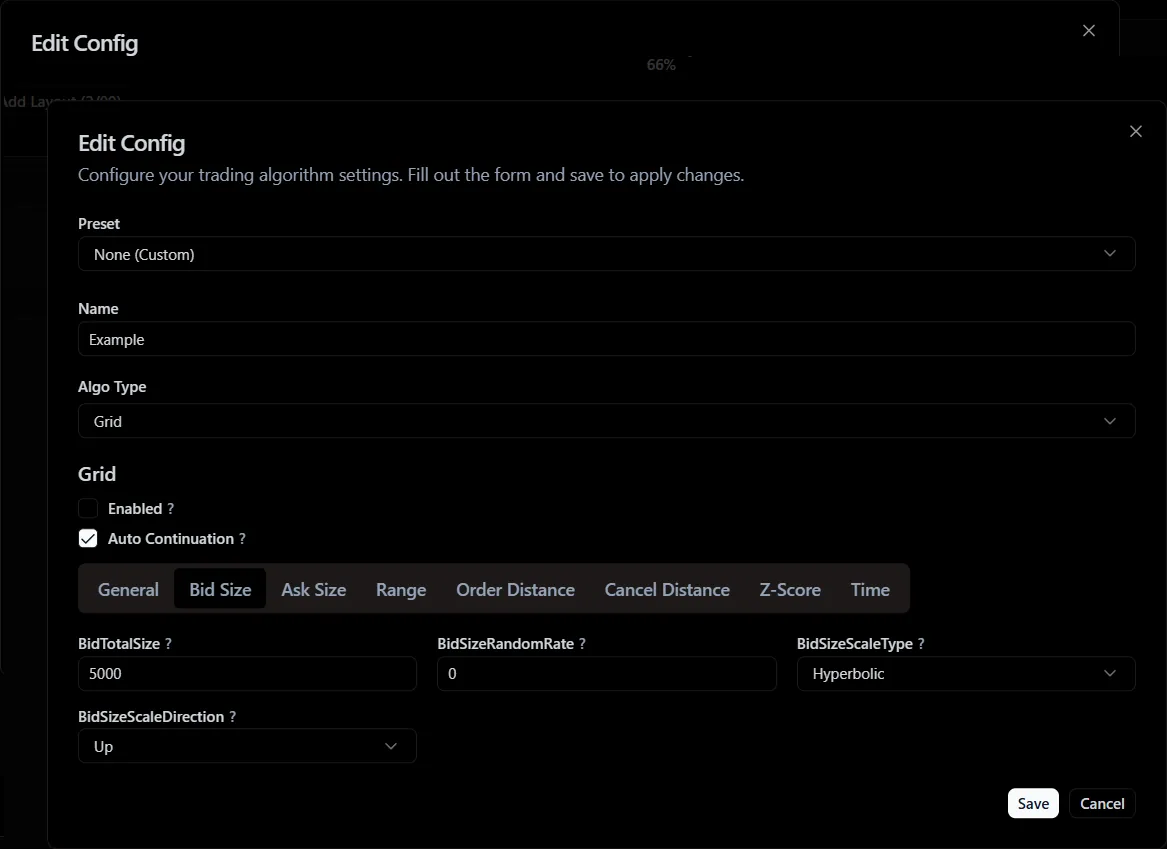
Bid Size category parameters
- Bid Tota lSize - the total size of bid orders in the grid.
- Bid Size Random Rate - the bid order size randomization coefficient.
- Bid Size Scale Type - the bid order size scaling type.
- Bid Size Scale Direction - the bid order size scaling direction.
- Ask Size
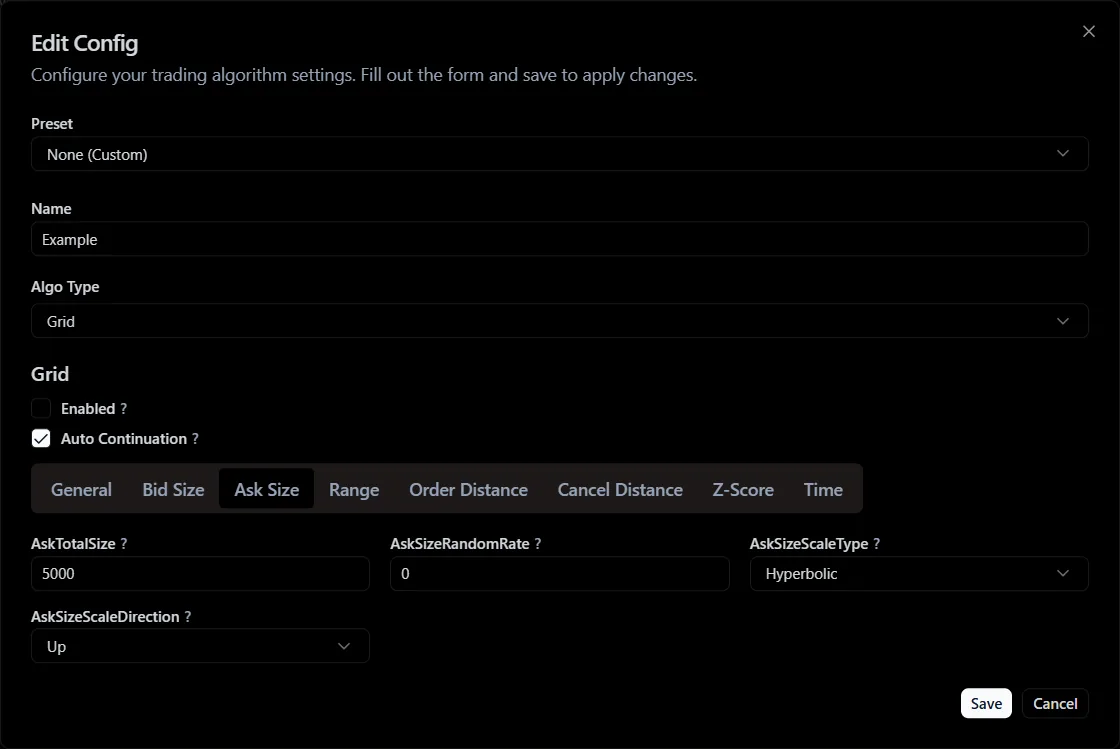
Ask Size category parameters
- Ask Total Size - the total size of ask orders in the grid.
- Ask Size Random Rate - the ask order size randomization coefficient.
- Ask Size Scale Type - the ask order size scaling type.
- Ask Size Scale Direction - the ask order size scaling direction.
- Range
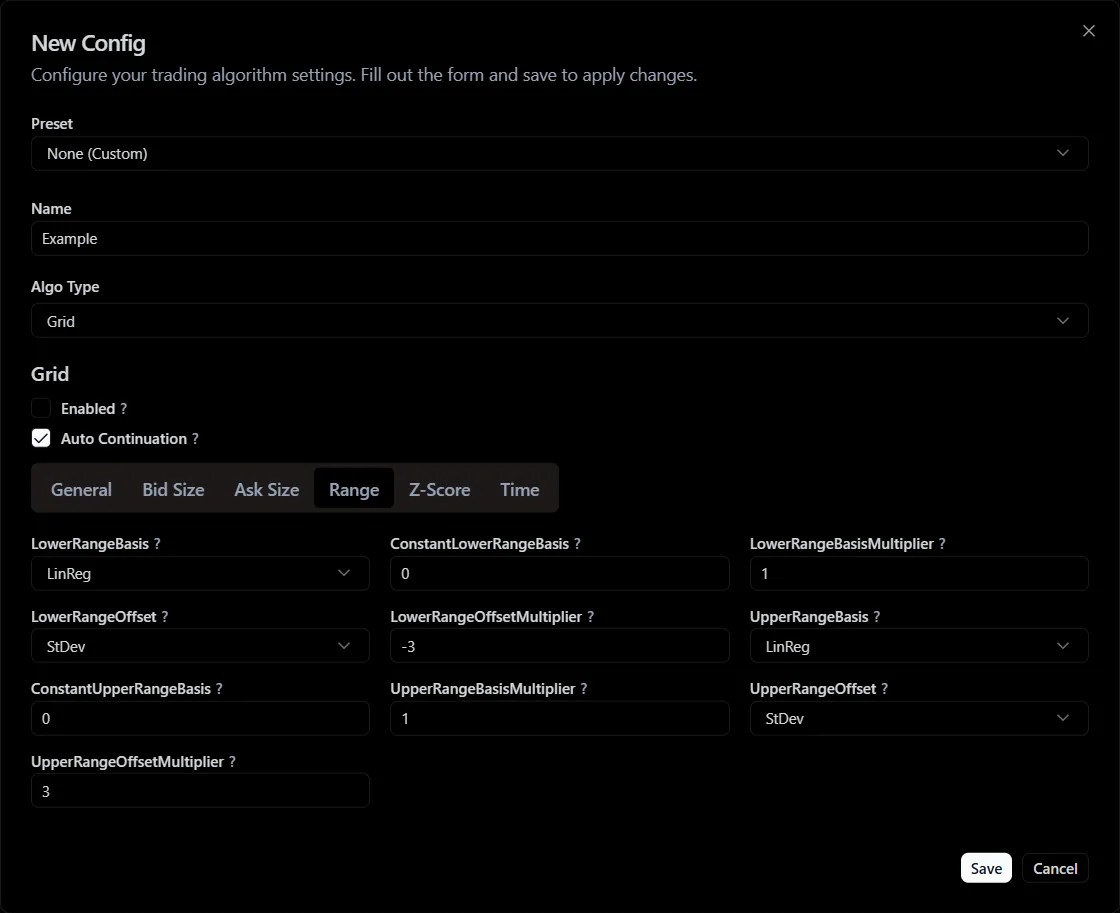
Range category parameters
- Lower Range Basis - the price basis for the lower boundary of the grid.
The basis types for the Grid algorithm are the same as the basis types for Chase Order.
- Constant Lower Range Basis - the constant value of the price basis for the lower boundary of the grid.
- Lower RangeBasis Multiplier - the multiplier of the price basis for the lower boundary of the grid.
- Lower Range Offset - the price offset for the lower boundary of the grid.
The offset types for the Grid algorithm are the same as the offset types for Chase Order.
- Lower Range Offset Multiplier - the multiplier of the price offset for the lower boundary of the grid.
- Upper Range Basis - the price basis for the upper boundary of the grid.
- Constant Upper Range Basis - the constant value of the price basis for the upper boundary of the grid.
- Upper Range Basis Multiplier - the multiplier of the price basis for the upper boundary of the grid.
- Upper Range Offset - the price offset for the upper boundary of the grid.
- Upper Range Offset Multiplier - the multiplier of the price offset for the upper boundary of the grid.
The grid is placed in the range between Upper Range () and Lower Range ().
The grid range boundaries are calculated by the formulas:
Where
(Lower Range Basis) - the price basis for the lower boundary of the grid.
(Lower RangeBasis Multiplier) - the multiplier of the price basis for the lower boundary of the grid.
(Lower Range Offset) - the price offset for the lower boundary of the grid.
(Lower Range Offset Multiplier) - the multiplier of the price offset for the lower boundary of the grid.
(Upper Range Basis) - the price basis for the upper boundary of the grid.
(Upper Range Basis Multiplier) - the multiplier of the price basis for the upper boundary of the grid.
(Upper Range Offset) - the price offset for the upper boundary of the grid.
(Upper Range Offset Multiplier) - the multiplier of the price offset for the upper boundary of the grid.
- Z-Score
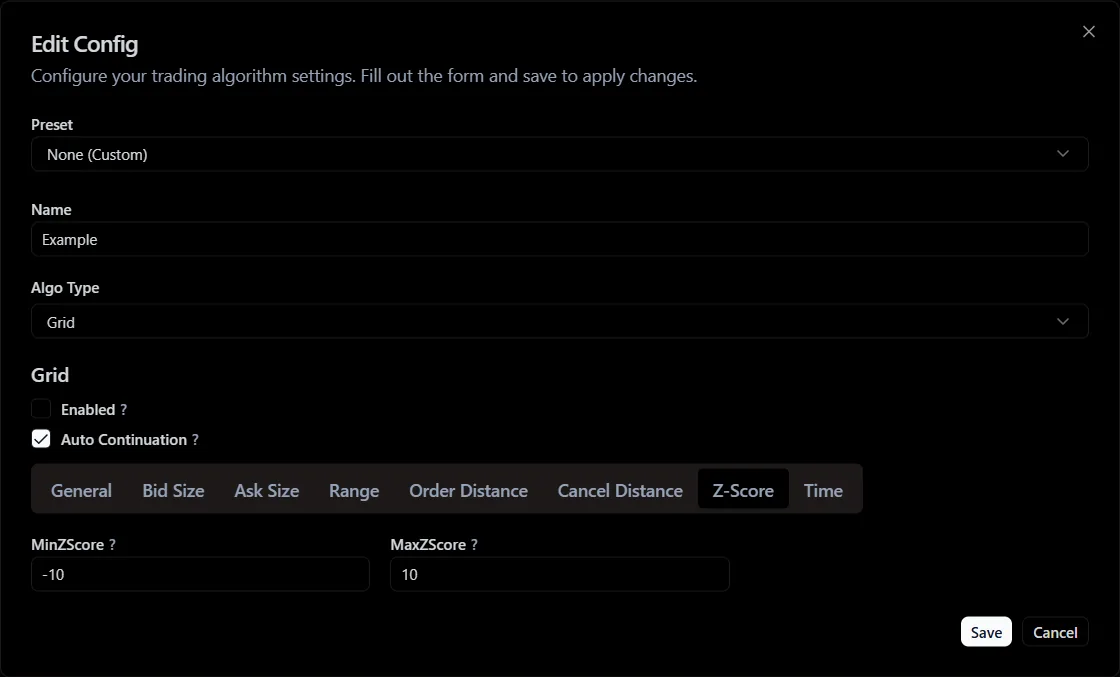
Z-Score category parameters
- Min Z-Score - the minimum Z-Score of the asset price at which the algorithmic order will operate.
- Max Z-Score - the maximum Z-Score of the asset price at which the algorithmic order will operate.
- Time
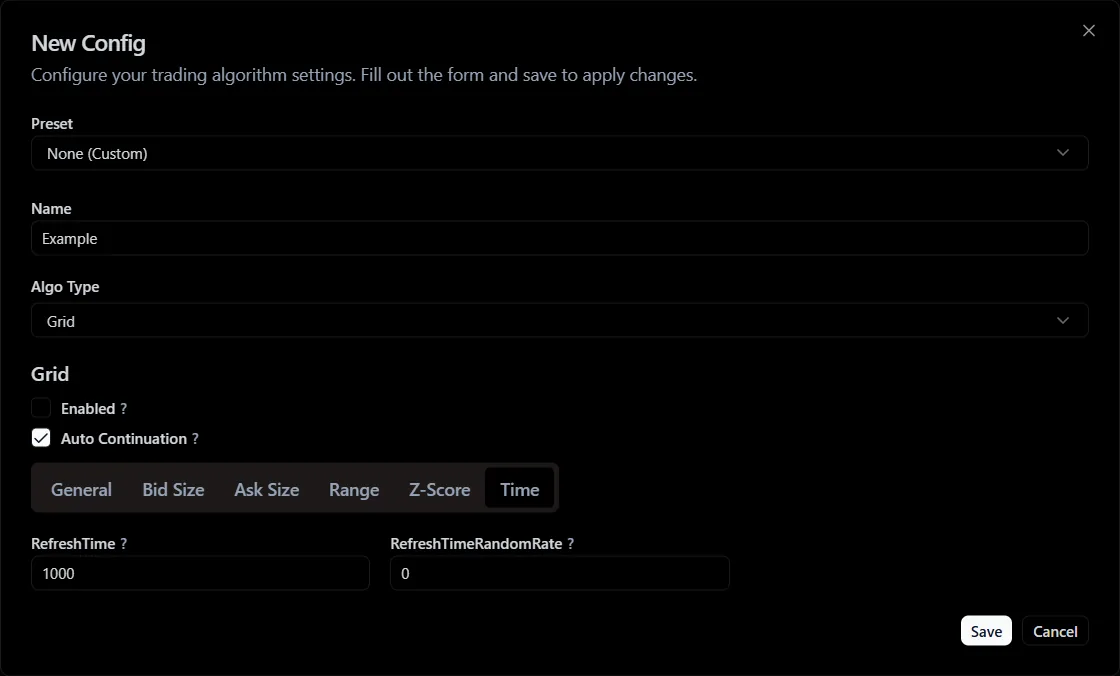
Time category parameters
- Refresh Time - the order refresh time.
- Refresh Time Random Rate - the order refresh time randomization coefficient.
Implementation Shortfall
The "Implementation Shortfall" algorithmic order aims to minimize the difference between the "decision price" and the actual average execution price. It balances two costs:
The main idea: split a large volume into a series of separate orders and dynamically adjust the speed and aggressiveness of execution depending on market conditions and on how the current price changes relative to the decision price.
Grid settings:
- Size
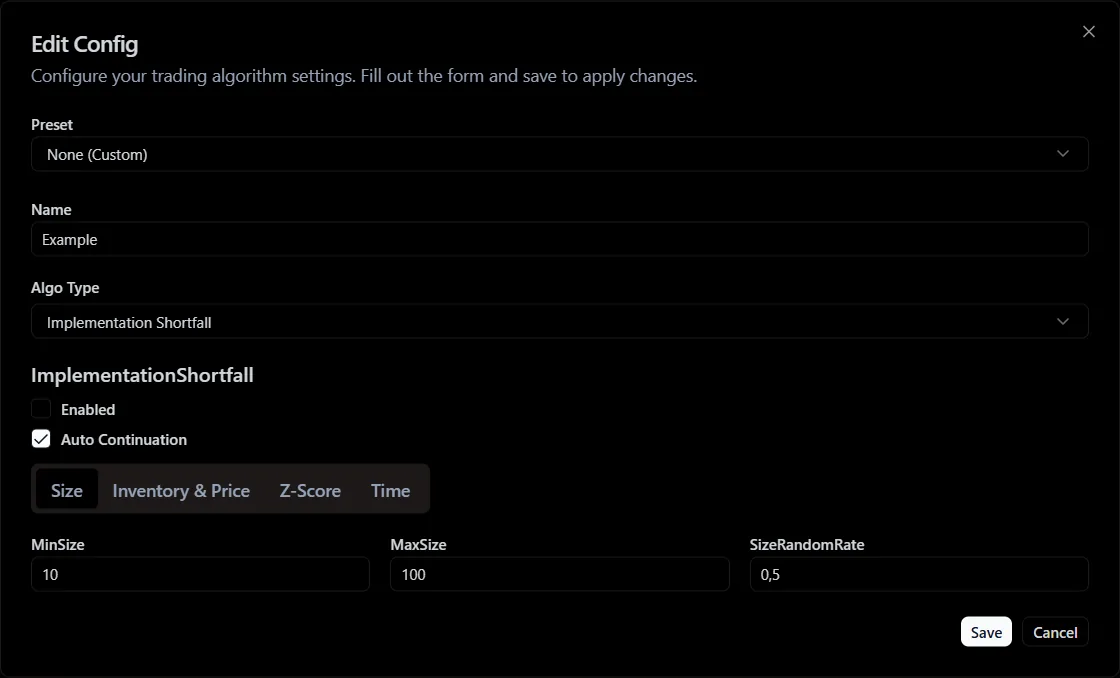
Size category parameters
- Min Size - the minimum order size.
- Max Size - the maximum order size.
- Size Random Rate - the order size randomness coefficient.
- Inventory & Price
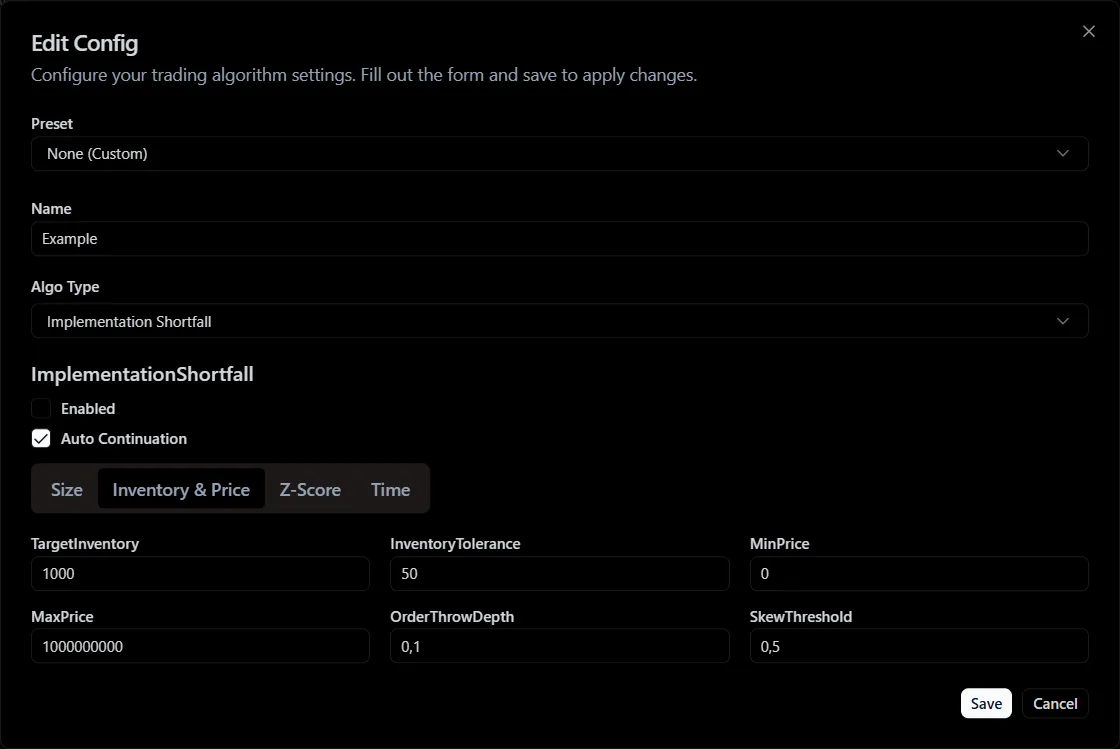
Inventory & Price category parameters
- Target Inventory - the target position value.
- Inventory Tolerance - the tolerance/error between the target position value and the actual position value.
- Min Price - the minimum order price.
- Max Price - the maximum order price.
- Order Throw Depth - the order throw depth.
- Skew Threshold - the Skew threshold for the algorithmic order to operate.
- Z-Score
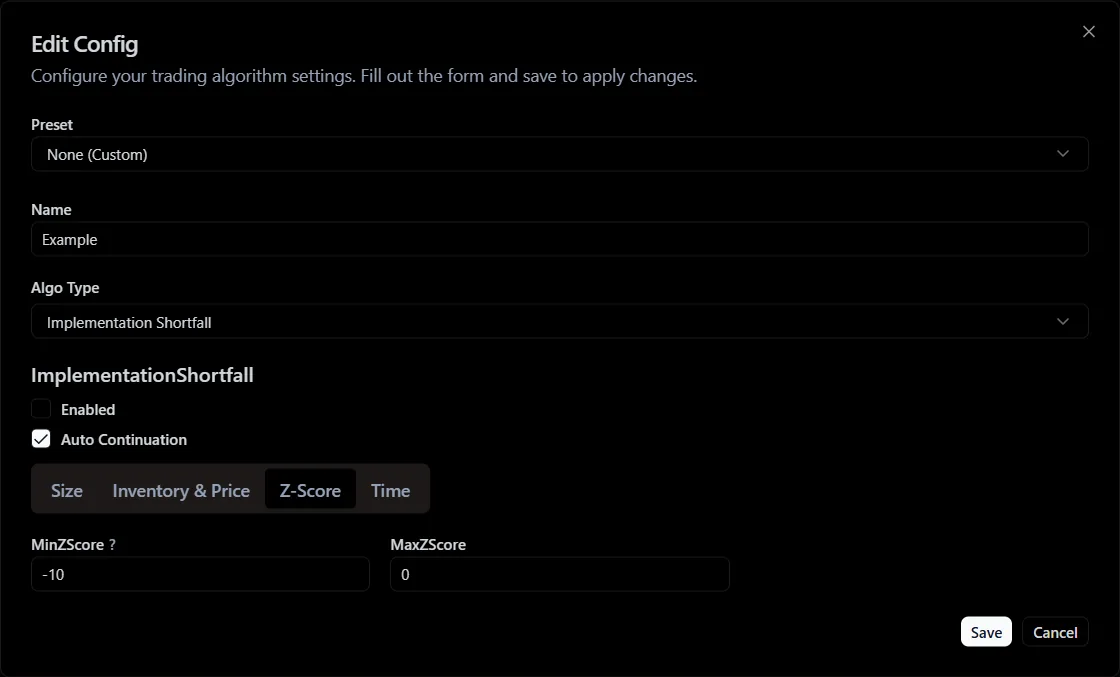
Z-Score category parameters
- Min Z-Score - the minimum Z-Score of the asset price at which the algorithmic order will operate.
- Max Z-Score - the maximum Z-Score of the asset price at which the algorithmic order will operate.
- Time
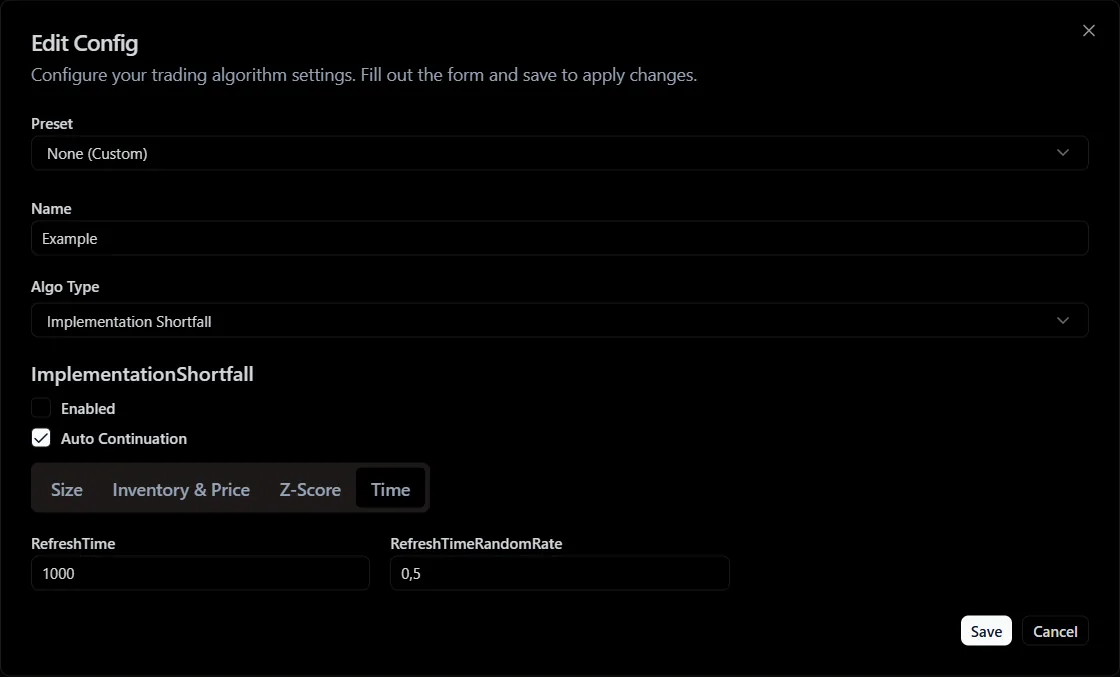
Time category parameters
- Refresh Time - the order refresh time.
- Refresh Time RandomRate - the order refresh time randomization coefficient.